Follow price charts
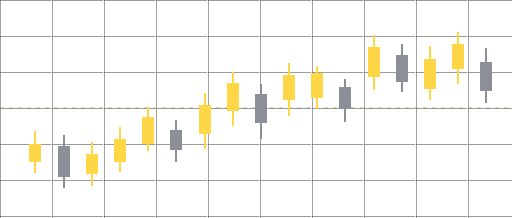
Use the dashboard charts to see market activity alongside your account activity.
Forex management for cTrader
Connect your cTrader account to manage Forex trading with RetailerWay. Follow activity from your dashboard while your funds stay with your broker.
Forex trading can result in loss of capital. Account overview
Example data
RetailerWay provides Forex account management through cTrader. You link an account with your broker and authorize the connection. Deposits and withdrawals go through your broker.
Use the dashboard charts to see market activity alongside your account activity.
Check open positions and see which trades are active in your connected account.
Look back at closed trades in your account’s history.
Review your setup and choose when to start or stop management in the dashboard.
Get your client account and broker connection ready, then decide when to begin.
Get StartedCreate a RetailerWay client account.
Review available plans and current pricing in the client app.
Sign in with cTrader and authorize access to your broker account.
Check your account and setup, then use the start control when you’re ready for management to begin.
See available plans, current prices and billing details in the app.
View PlansSign in from your browser or download the Android app to access your account.
Your funds stay in your trading account with your broker. Use your broker to make deposits and withdrawals.
You need a trading account with a broker that supports cTrader. You’ll authorize the connection through cTrader during setup.
After you register, choose a plan and link your account, review your setup and use the start control when you’re ready. Linking the account is a separate step.
Open View Plans to see the plans and prices currently available in the client app.
Yes. Forex trading involves significant risk and you can lose some or all of your trading capital. Leverage can magnify losses. Read the risk disclosure before starting.